What the agent records
Each visit has three steps, on the phone:
1
Meter reading
They enter the new reading for each machine and can add a photo.
2
Refill
They pick the products and the quantities put in each machine.
3
Confirm
They see the total to collect, pick No payment, Partial or Full and tap Finish.
It works without signal too
The visit is saved on the phone and sent when the connection returns. Until then, it shows under Unsynced.
Where you see the refills
From the office, you have three places:
- Records: date and time, the agent, the client, the machines, the products, the cups and the total. Open a row to see the products refilled and the reading photo.
- Routes: each client on the agent's day shows whether it was refilled or not.
- Client page: the client's refill history.
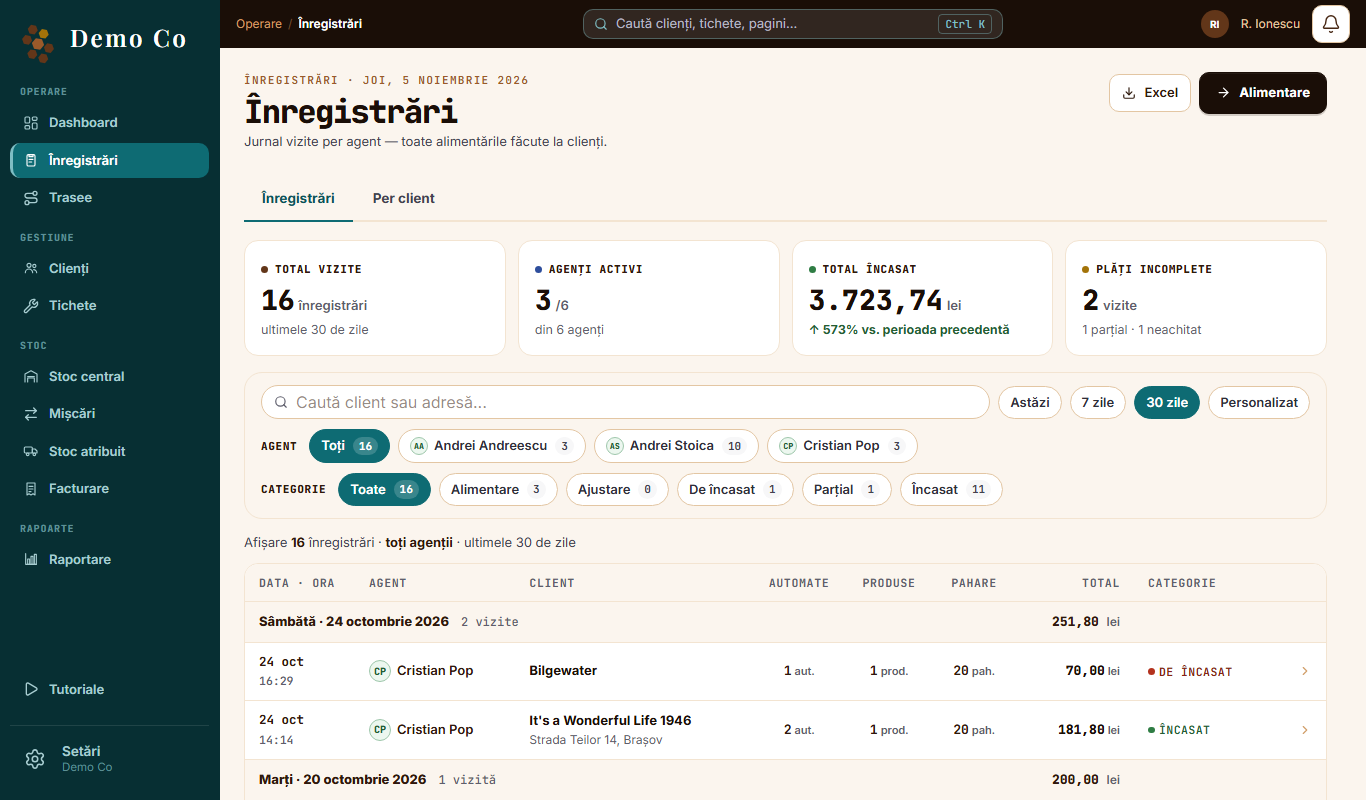
You can refill from the office too
The manager can also record a refill, from Records or from the client page.
Export
Records download to Excel, with the Download Excel button.
See the Money and invoices page →Questions
What if the agent skips a visit?
They tap Skip visit and confirm. In Routes, the client shows as not refilled.
Can I correct a payment?
Yes. Open the record and tap Correct the payment.
Got a question?
Message us on WhatsApp.
Contact us