How the agent records it
1
Sees the old reading
It is already filled in, for each machine.
2
Enters the new reading
The app works out the difference by itself.
3
Adds a photo
The counter photo is optional, one per machine.
How the cups are counted
The cups sold are the difference between the new reading and the old one. Cups entered as Fault are subtracted.
If the machine has several cup sizes, the agent enters them separately, under Of which · other sizes.
Mistakes it stops
- If the new reading is lower than the old one, the agent cannot continue.
- If they enter nothing, the difference stays 0.
Where you see the reading
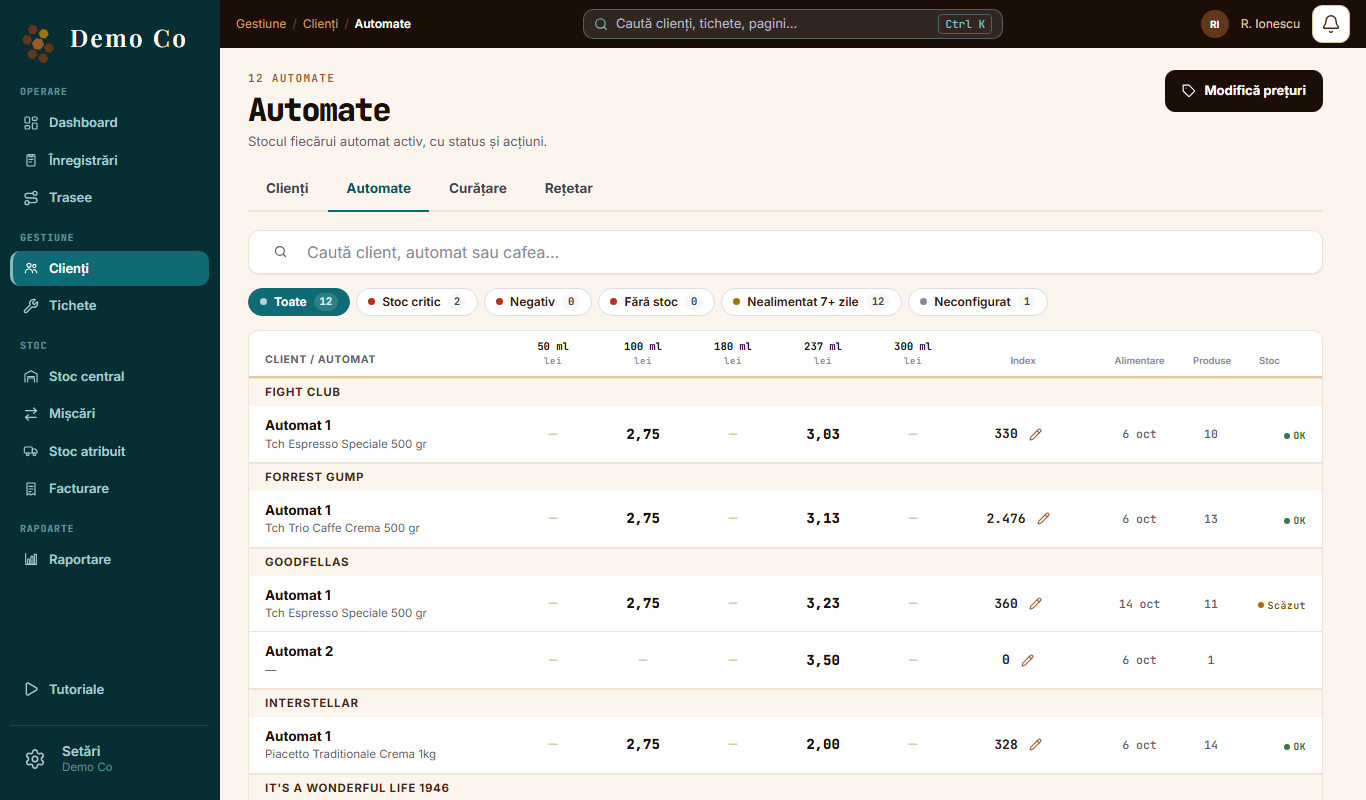
- Clients, Machines tab: the Index column, for each machine. The pencil next to it opens Adjust index.
- Client page: Reading photos, with the photo from each visit.
When the counter is reset
The agent taps Reset machine total and confirms. The old and the new reading become 0, and the reset stays on record.
See the Routes and the field app page →Questions
Is the photo required?
No. If the photo cannot upload, the visit is saved anyway.
Does it work without signal?
Yes. The reading is saved on the phone and sent when the connection returns.
Got a question?
Message us on WhatsApp.
Contact us