The steps
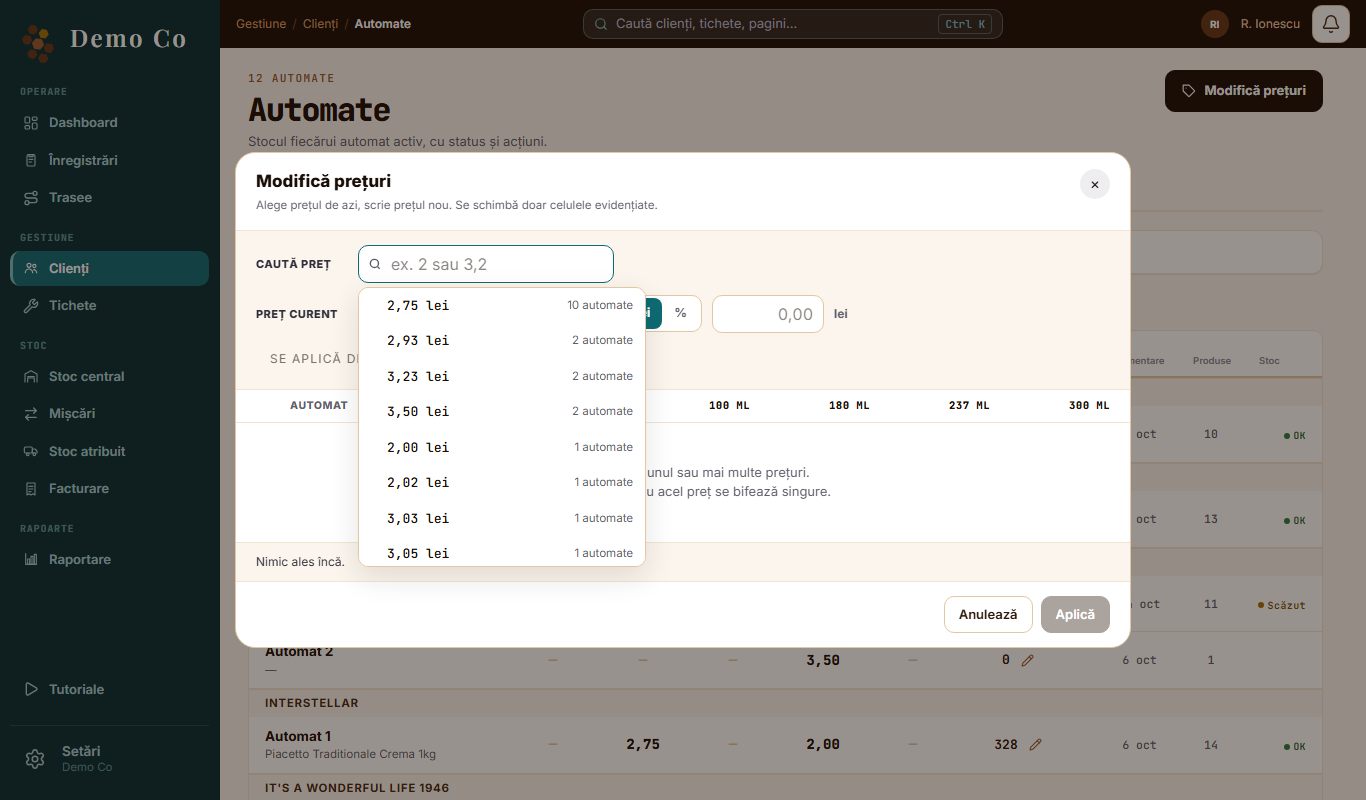
Go to Clients, the Machines tab, and tap Change prices.
1
Find today's price
Under Find price you see each price and on how many machines it is.
2
Type the new price
In lei or in percent. The machines with that price are ticked by themselves.
3
Check the list
You untick what you do not want or change a cell by hand.
4
Pick the date
Now, from the 1st of the current month or from the 1st of the next month.
5
Apply
You tap Apply and see on how many machines it changes.
What changes
Only the highlighted cells. The price changes per machine and per cup size, and the other sizes stay as they are.
See the Clients, machines, recipes page →Questions
Do I have to stay on the page?
No. The change runs in the background, and the app shows you when it is done.
What if a machine already has a scheduled price?
That machine gets no new bulk change while its scheduled price is pending.
Got a question?
Message us on WhatsApp.
Contact us